If your Adkins Inline / Compact / Pro is Dusting continuously or dropping down either too much or too little powder, one of the following solutions may help resolve the problem.
1. Turn off dusting if in manual mode
Check that you do not have 'Dusting' turned off on the main display screen. If Dusting is on and the system is in manual mode, dusting will continue regardless.
2. Recalibrate the powder weight sensor
[for Adkins Inline 800] Firstly, access the calibration screen by selecting to view the "IO" Menu, then select "?". Then select "Next" 3 times to get to the final page of monitoring notes. From this page, tap the top right corner of the screen and a password entry box will appear.
Input the password "1234" and press "Enter" to confirm.
[for Adkins Compact 600 / 900 / 900 pro] Access the calibration screen by selecting 'settings', then select "?". From this page, tap the top right corner of the screen and a password entry box will appear.
Input the password "1234" and press "Enter" to confirm.
You'll now have access to the Calibration screen. To resolve powdering amount issues, perform the "Weight" calibration.
With no film or powder in the system, select "Initial" in the weight calibration. Then open the powder tray cover and push down the powder weight trough. Whilst holding this down with one hand, use the other hand to select "Lowest". Push the trough further down if you desire more powder to be dropped before the media will be pulled through the oven . And push the powder trough less distance down if you require less powder to be dropped before the media will be pulled through the oven.
Then press "Back" until you're back at the home screen.
Please see view the following YouTube video for a video explanation of the process:
3. Film not in powder weight trough
When placing the film in the dryer, ensure that the film drops/rests fully in to the powder trough and sits between (not too close to) the media guides. If the film sits too high, the system will continue to drop powder because the powder weight sensor is not being activated.
The film may also lift out of the powder trough when the machine is in use if there is too much film in front of the front film sensor. This can be rectified by increasing the feed speed of the inline or by pausing the printer to allow the inline to catch up. This is demonstrated in the graphic below.
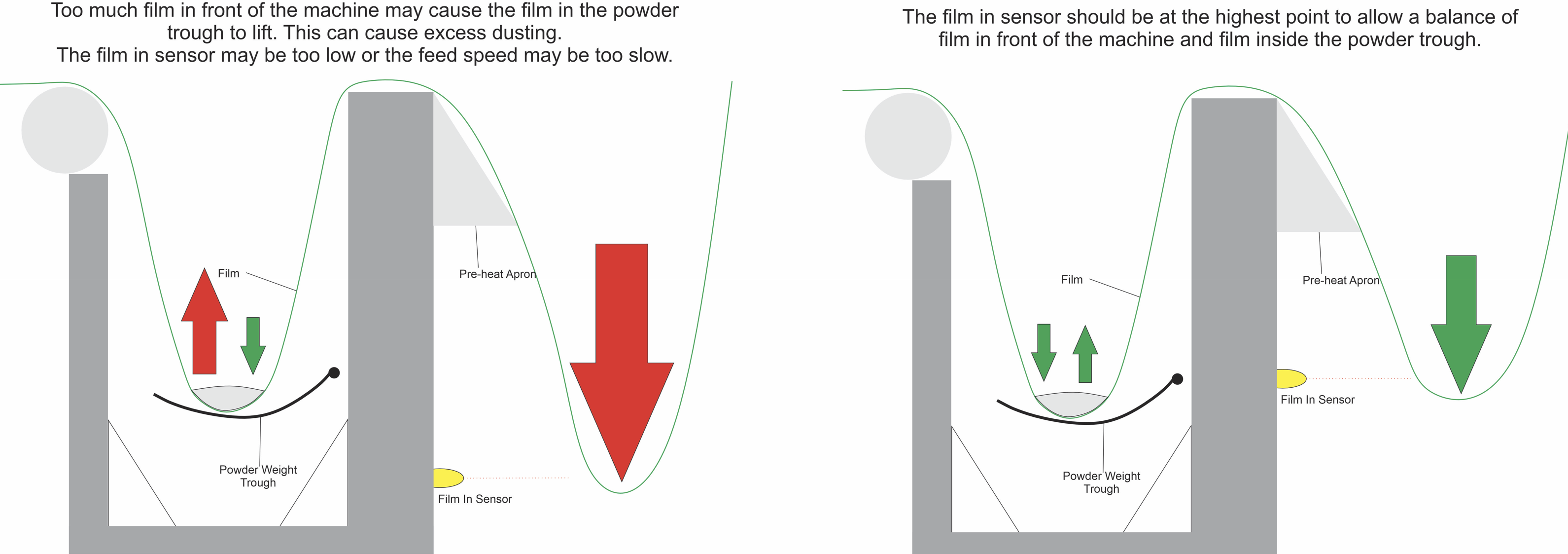
There may also be excess static between the film and the pre-heat panel. This can be rectified by fitting anti-static tape to the pre-heat apron.
4. Clean the powder weight sensor
If the powder weight sensor (shaking sensor - number 6 in the diagram below) has become covered in excess powder it may not work correctly and give a false reading.
To clean this, remove the sensor from the machine and brush away any powder. Once the sensor is refitted, follow the advice above to recalibrate the sensor.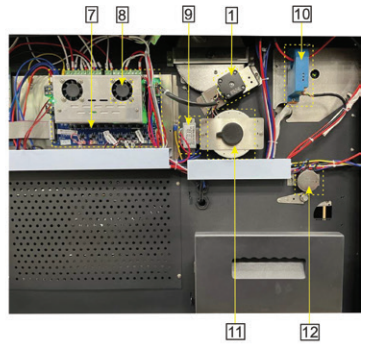
Was this article helpful?
That’s Great!
Thank you for your feedback
Sorry! We couldn't be helpful
Thank you for your feedback
Feedback sent
We appreciate your effort and will try to fix the article